Questions of an user
Posted: Wed Oct 22, 2025 3:42 pm
A user asked me :
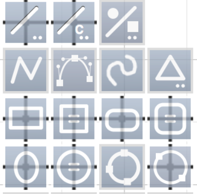
- It is possible to activate the drawing by center mode with a long press on the tools "line", "rectangle", "circle" or "ellipse",
Tools after a long press :
- It is possible to take the circle by its center and drag it where it is wanted BUT for that the circle (or other shape) must have a back color,
It is the same to have the attraction on the center, the shape must have a back color.
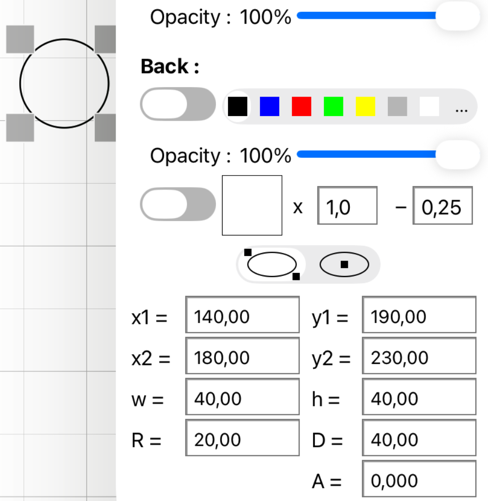
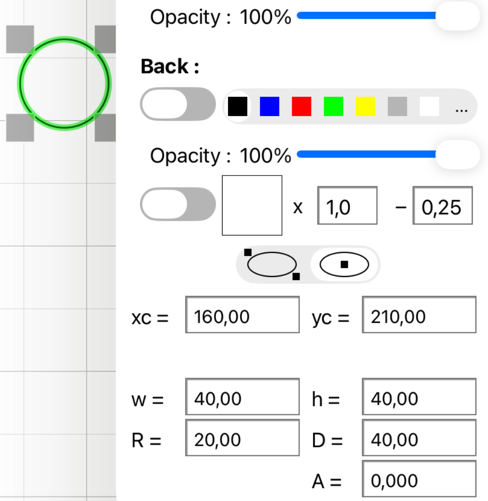
- It is also possible to edit the datas of the circle in center mode and modify xc and yc :
Circle edited in 2 points mode :
Same circle edited in center mode :
There is more than one way to do that :I'm trying to position a circle exactly or move it to a specific point. For example, from the center of the circle to the intersection of the center lines, because I can't find a way to draw the circle by specifying the center point and radius.
...
I also can't find a way to measure the distance from the center of the circle to the line intersection.
- It is possible to activate the drawing by center mode with a long press on the tools "line", "rectangle", "circle" or "ellipse",
Tools after a long press :
- It is possible to take the circle by its center and drag it where it is wanted BUT for that the circle (or other shape) must have a back color,
It is the same to have the attraction on the center, the shape must have a back color.
- It is also possible to edit the datas of the circle in center mode and modify xc and yc :
Circle edited in 2 points mode :
Same circle edited in center mode :